
FireFox Plugins To Make Your Life Easier
While at SEJ I posted a list of my favorite SEO plugins, here I decided to follow-up with the list of extensions that save time and let you work more effectively:
| Tools | Most useful feature | How useful I consider the tool |
| Foxmarks | Bookmarks synchronizer | ![]() |

| Wizz RSS | RSS and Atom news reader for FF | ![]() |
| Co.mments | Track any blog conversation | ![]() |
| Read later | Quickly save a page for further reference | ![]() |
| Morning Coffee | Schedule any site(s) to open on a set day | ![]() |
| Page Saver | Easily capture a page | ![]() |
| Google notebook | save and share notes | ![]() |
| InFormEnter | help in form filling | ![]() |
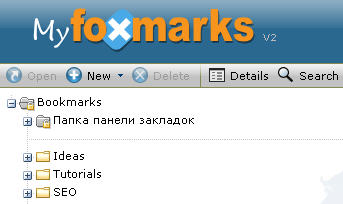
1. Foxmarks – synchronize your bookmarks across several computers (most useful if you are working both at office and at home like me). Access your bookmarks from any computer anytime via my.foxmarks.com.
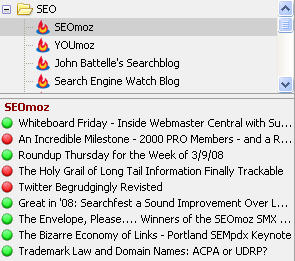
2. Wizz RSS – easily access your feed list via FireFox.
Most useful features:
- Sort the blogs in folders;
- See what you have already read (red bullet) and which post is new/not yet viewed (green button).
- synchronize your subscriptions across several computers with help of Foxmarks.
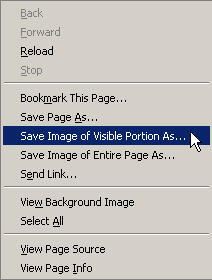
3. Page Saver – capture a page, resize and edit images.
Most useful features:
- capture entire pages (not just the visible part);
- scale captured images to any desired percentage.
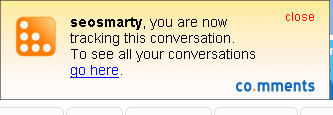
4. Co.mments button – keep track of any blog conversation.
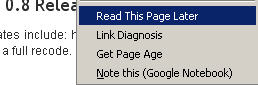
5. Read later – allows to bookmark pages to read them later; synchronize the pages using FoxMarks.
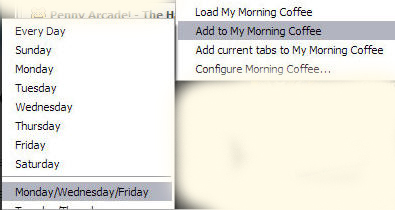
6. Morning Coffee – schedule your favorite sites to open on a set day of the week; synchronize your settings using FoxMarks.
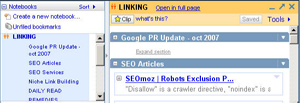
7. Google notebook – quickly save links and citations and arrange your notes in folders; share your notes with friends; access them from any computer using your Google account.
8. InFormEnter – easy form filling.

Related posts:


15 Responses to “FireFox Plugins To Make Your Life Easier”
I have to congratulate you Ann. I think you’re the first person who published a Firefox plugin post where the plugins were all new to me. I have Read it Later installed, but all the others were completely new.
Some nice finds. Thanks
By Steven Bradley on Mar 27, 2008
Nice list, Ann. How do you find co.mments, though? I used them for around 9 months and agree that the FF extension is great but I got constantly frustrated by server downtime so moved to cocomment a month or so back.
By Mike on Mar 28, 2008
Although not a Firefox plugin, Yahoo!’s MyWeb actually does a lot of the tasks you ahve stated above (and the Save page button is on my Y! toolbar). I can add tag phrases to a page like “To Read Later” “To Watch”, save full copies of pages easily, access all my bookmarks on any computer, and on top of it all search the full text of all of my saved pages. So, while some of the ones above are OK, you have to use many products. For full disclosure, i used to work at Y! but not anymore…oh, and the one person who claims everything is new…hmm, i guess they have never heard of Google notebook…perhaps they also don;t know about Google Search
By Salim on Mar 29, 2008
Morning coffee gets really old really fast, and decreases productivity as you end up repeatedly distracted. Life was much simpler with an SE homepage.
By Gab Goldenberg on Apr 1, 2008
Hey Ann…. Congrats on getting in the top 6 sexiest girls in SEO! http://www.werebu.com/seo/5-sexiest-girls-in-seo/
By Matt Longley on Apr 3, 2008
Ann how about RoboForm? Web developer?
By Ken Savage on Jul 8, 2008
Nice list …
Some very helpfull tools … but soon I need a bigger screen on my laptop.
Firefox rules ….
By Steen Öhman on Mar 28, 2009
Hi,
This is David . I what to know how work Roboform and is it necessary for SEO .
By David on Feb 15, 2010
Nice list. I think Read It Later is one of my favorites and have been using it for awhile now.
By Twin XL on Mar 10, 2010