
 [Updated November 27, 2016]
Having a couple of hours of free time on the holidays, (instead of having at least some rest) I decided to take time looking for the ways to brand my images and PDfs I spread online.
Basically I was looking for some basic tools that would place a cute watermark on any images I want and I can tell you, finding a really useful and usable tool was not easy.
Anyway, I figured that some of my readers might be interested in that too – so I am sharing my tips here: some free useful watermarking utilities to identify and brand your images and PDF files:
Table of Contents
Watermarking PDF files
Most PDF editors and converters are paid, I was really happy to discover one which is free, feature-rich and bug-free: PDFill
Just download and install the tool (the tool requires Ghostscript but don’t worry, the tool will install it automatically if you allow to) and run it. You will be able to access its multiple features – among them: text or image watermarks:
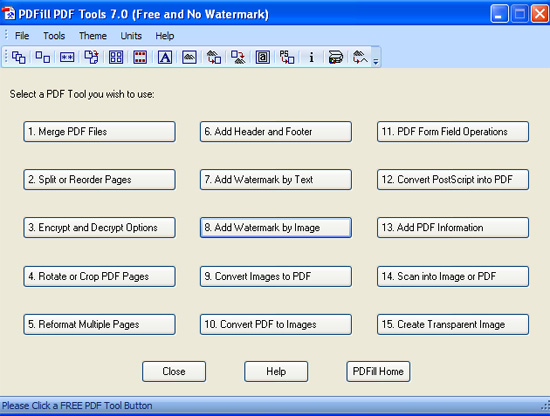
The process of adding an image watermark is quick and easy:
1. Point the tool to the .pdf document you want to watermark;
2. Point the tool to the image that will serve as a watermark;
3. Customize the watermark settings:
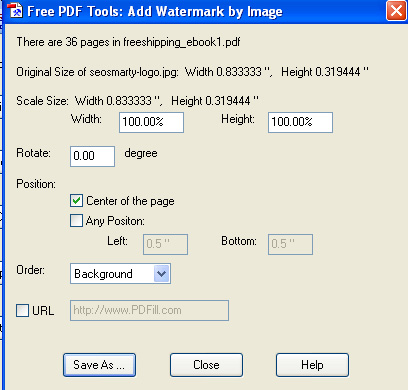
4. Save the watermarked copy and you are done!
Watermarking Images (Free)
Free Desktop Watermark Creator
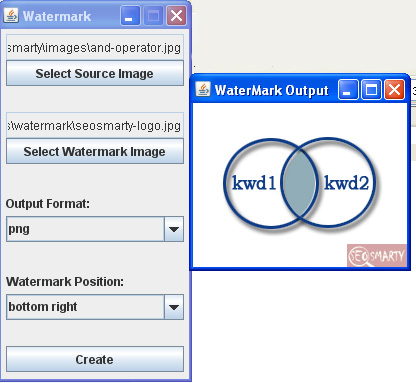
Java Watermark
(Free download here)
Don’t be fooled by the simplistic interface: the output is not bad at all. This one creates image watermarks and can also process only one image at a time:
Free Online Watermark Creators
An online tool is only good unless you need it daily. When it comes to online watermarking tools, you won’t b able to find anything fancy but there’s no excuse for not checking one: they are all free and require no registration.
Let’s see how it works by trying one of them: PicMarkr
Select up to 5 images (either from your computer or from Facebook, Flickr or Picasa) and choose the watermark properties (text or image);
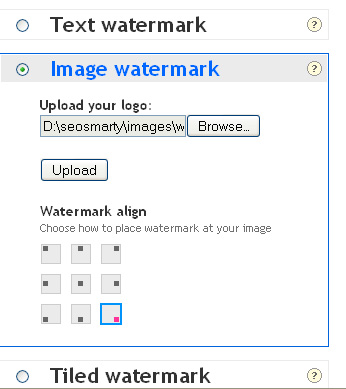
Click “Next step” and either download the watermarked image back to your computer or save the watermarked copy to your web album:
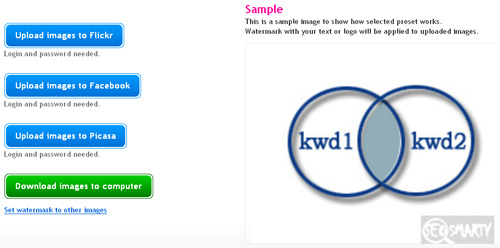
As far as you can see, easy, fast and fun.
Here’s the overview of best free online watermark tools:
| # of images to process | Watermark type | Limitations | Additional features | |
| PicMarkr | 5 | Image and text | Total file size 25Mb or less | Resize images, Download / upload from / to Flickr, Facebook, Picasa |
| WatermarkTool | 4 | Text | Max file size is 200KB | Set text and box transparency level, |
| 10 | Text | N/A | – | |
| Watermark.ws | N/A | Image and text | < 500 KB per photo | Resize and compress images |
| Watermark images | 20 | Text | Total Size Limitation: 10MB | – |
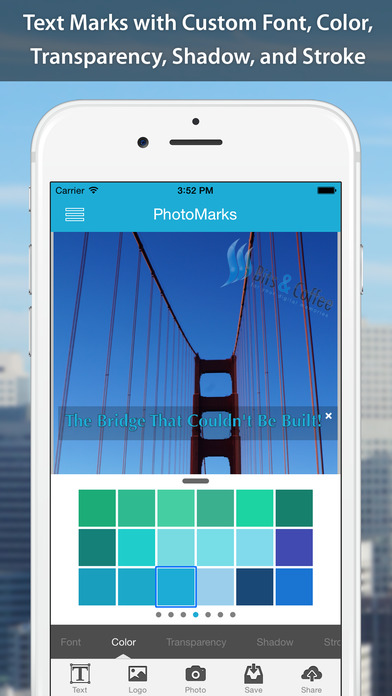
If you need a more advanced solution, consider Photo Marks. It’s a downloadable app, but it is not free. It supports bulk watermarking of all sorts of files. It even has an iPhone app for you to watermark your smartphone collection:
Post image src: blogs.chron.com


