
 If you are addicted to WordPress as much as I am, you are most likely to be subscribed to Yoast.com and you should have seen this post reviewing WordPress-to-Lead for Salesforce CRM plugin. As I was just looking for some good plugin to enhance my contact page as well as organize my leads, I promptly decided to give it a go.
This post described my whole experience of the plugin installation and customization.
The steps are as follows:
Table of Contents
1. Create a Trial Account at SalesForce
(to test things out)
2. Upload and activate the plugin
(as an avid WordPress user, you are likely to be familiar with the process).
3. Configure the plugin:
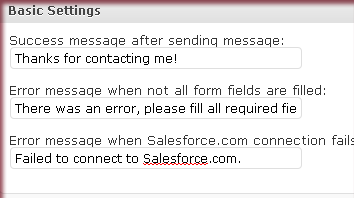
3.1. Basic settings: Customize status messages displayed after the message is sent or if there was an error:
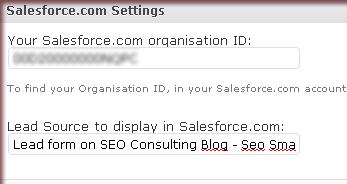
3.2. Connect to your Salesforce account by providing your company ID (located in your Salesforce.com account, go to Setup » Company Profile » Company Information):
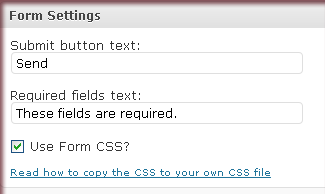
3.3. Customize the form settings: the form phrases and look:
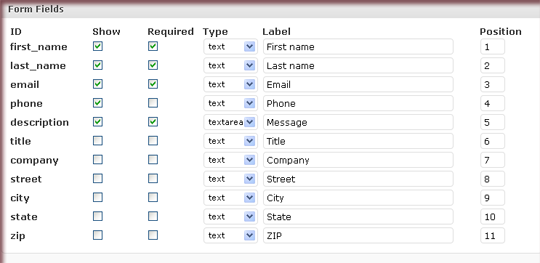
3.4. Customize the form fields:
- Specify which fields you want the customer to complete;
- Select the required fields;
- Specify the type of each field;
- Set the field order:
4. Use the form
To use this form, copy the following shortcode into a post or page:

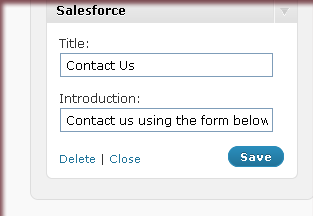
Additionally you can use the sidebar widget to have the form blog-wide (this is where I am having it now as I am testing it so far):
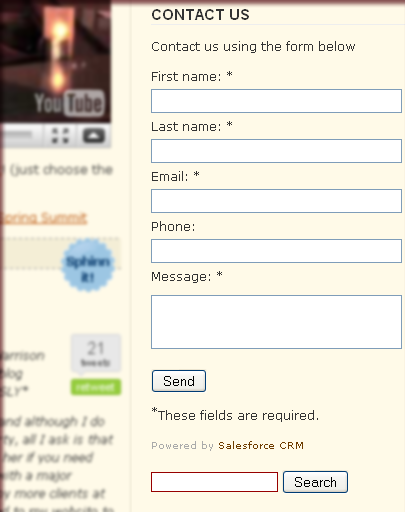
Here’s how the plugin looks when added to the sidebar:
The whole process just over-viewed above is clearly described in this video as well.
5. Enjoy the service
Now I should be able to:
- Track all conversations and interactions
- Organize your contacts and tasks in a single spot
- Easily synch with Outlook, Gmail, Yahoo!, and more
Which tools are you using to organize your leads? Which other WordPress tutorials for beginners can you recommend?
Post image by batega


