
 I mainly search for images online when I need a web design inspiration or if I want to decorate a post of mine. Some recent image search engines and search engine applications seem really impressive to me. They offer a wide variety of interfaces, filtering and sorting options that I personally enjoy playing with.
So the big question (like with other search types) is: what should the image search look like? The image search giants (Google images, Yahoo images and even Flickr) represent rather a poor example of image search usability (to my mind). Luckily we have a number of good examples (still none of them is perfect):
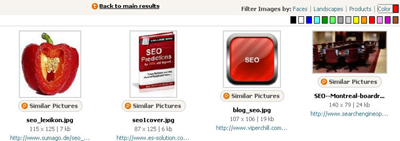
1. Picitup offers really interesting filtering options (that overall work):
- show faces;
- show landscapes;
- show products;
- set color preferences.
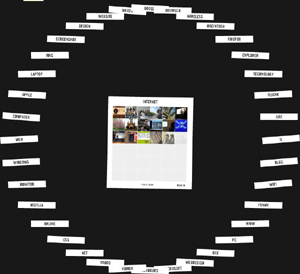
2. Flickr based Tag Browser will show you related tags to your search term giving you more ideas to explore:
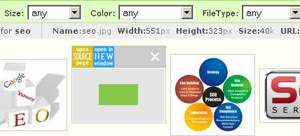
3. Picsearch advanced search provides a variety of filtering options:
- by file size;
- color (black and white, color or both);
- image type (animated or not).
4. Imagery is Google image based tool that basically does the same as Google but in a much more easy-to-use way: it offers advanced search options at the same page, each image size and dimensions, and image source page (when hovered over).
5. Exalead (known for integrating facial recognition technology) allows for a number of useful filtering options (and besides it shows the exact number of available results for each of them):
- searching for faces;
- grayscale or color;
- wallpapers;
- layout;
- file types.
6. Snap.com offers a really great interface showing the list of images to the left and the image preview and characteristics to the right. The search is enhanced by quick filtering options letting you choose the color option (black and white or color) and image size.
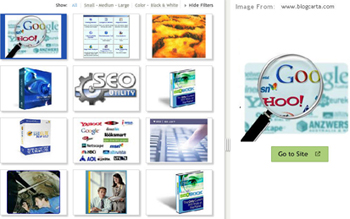
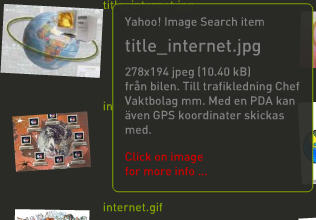
7. Oskope visual search integrates data from a number of services: Yahoo image search, Flickr, Fotolia. It has a number of presentation options (grid, stack, pile, list, and graph) and scale grade enhancing your search experience. It also shows each image information (date and username for Flickr, size and dimensions for Yahoo image search) and source link when hovered over.
To cut the long story short here is a summing up table (the criteria are based solely on my personal opinion):
| SE / Criteria | Presentation | Search accuracy | Search options | Speed |
| Picitup | simple | moderate | varied | fast |
| Tag Browser |
flash | moderate (Flickr tag-based) | none | slow |
| Picsearch | simple | high | few | fast |
| Imagery | simple | moderate-high (Google-based) | few | moderate |
| Exalead | simple | high | few | fast |
| Snap.com | user-friendly | high | few | fast |
| Oskope | flash | moderate (Flickr and Yahoo based) | varied | moderate |
Post Image: Not the End of this Story


