
 A few days ago I put a Christmas-like feed button on my site and today I discovered that it can’t be seen in many browsers other than FF. This fact came as a complete revelation to me. </shame> Honestly, I am having tough time starting my blog and going “social” and I did not even have time to test my blog design in different browsers! But that was a good lesson. Thanks to this shameful overlook, I found a great tool to test a website design (and not only that). By using a FF plug-in called user agent switcher you can quickly:
- Test your web forms in different browsers;
- Check your website with the user agent being Googlebot, for example;
- Avoid browser specific blocks; etc
Download and install this handy plugin here (compatible with Firefox, Mozilla, Seamonkey and Flock). Then go to user agent list (xml file) and import it into your user agent switcher:
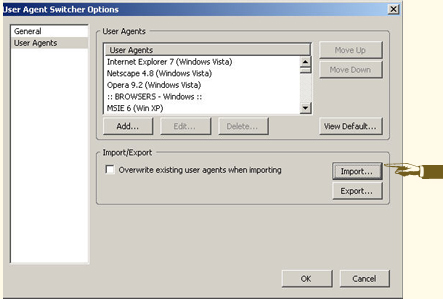
And you can play with the plugin to your heart content.
Many thanks to Tom who discovered this tool for us at SEOMoz. The post is of a great interest to me as it shows how many minds produce knowledge: when no one could guess what was wrong, Tom came up with a simple and genius solution!


